Cycle-Synced Medication Reminders: Doses That Move With Your Period
Femora's cycle-synced medication reminders anchor a dose to your predicted period (for example, '9 days before your period until day 2') instead of a fixed date, so reminders shift automatically each cycle; you can set a single dose or a daily window, see your next dose in advance, and the app falls back to your average cycle length when no prediction exists.
Some medications only work when the timing lines up with your cycle. PMS relief is meant to start in the days before your period. A fertility trigger shot is timed to ovulation. Cyclical HRT follows a monthly pattern. The problem is that your cycle does not run on the calendar - the start date drifts a little every month - so fixed reminders slowly fall out of sync.
Femora's new cycle-synced medication reminders fix this. Instead of "remind me on the 14th," you tell the app "remind me 9 days before my period," and the reminder moves with your predicted period each cycle. You set it once, and it keeps itself accurate.
What "cycle-synced" actually means
A normal reminder fires on a fixed date or a fixed weekday. A cycle-synced reminder is anchored to your predicted period start date instead.
You set the schedule using two points, both measured in days relative to the first day of your period:
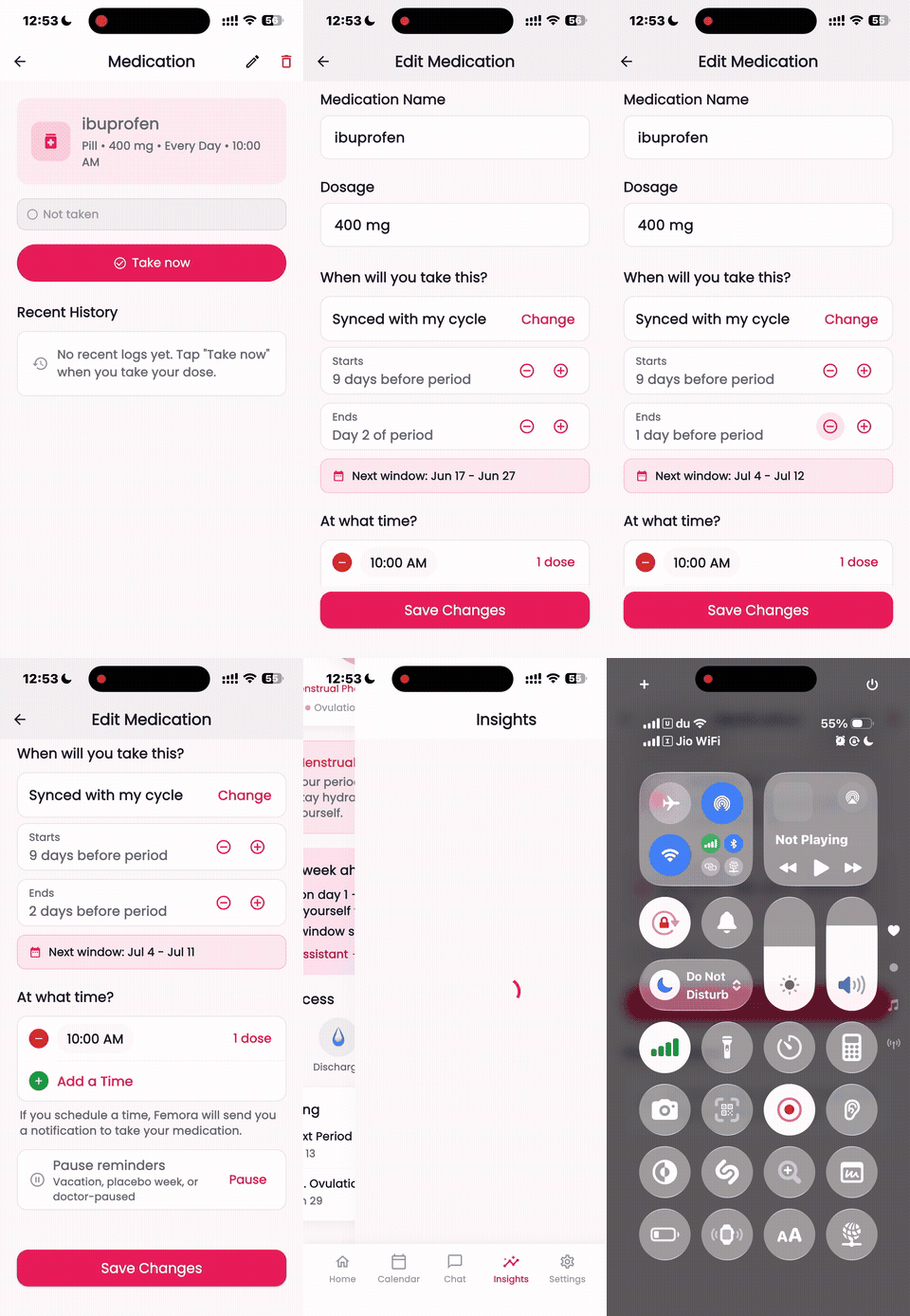
- Starts - when the reminder window begins (for example, 9 days before your period, or day 2 of your period)
- Ends - when the window stops
If the start and end are the same day, you get a single dose on that day. If the end is later than the start, you get a daily reminder across the whole window. Each cycle, the app recalculates both dates from your latest prediction, so the doses shift automatically as your cycle does.
A few real examples:
- PMS relief: start 9 days before your period, end on day 2 - a daily reminder across the luteal stretch when symptoms peak
- A single timed dose: start and end both set to 9 days before your period - one reminder, once per cycle
- Early-period only: start on day 1, end on day 5 - a daily reminder for the first five days of bleeding
How to set it up in Femora
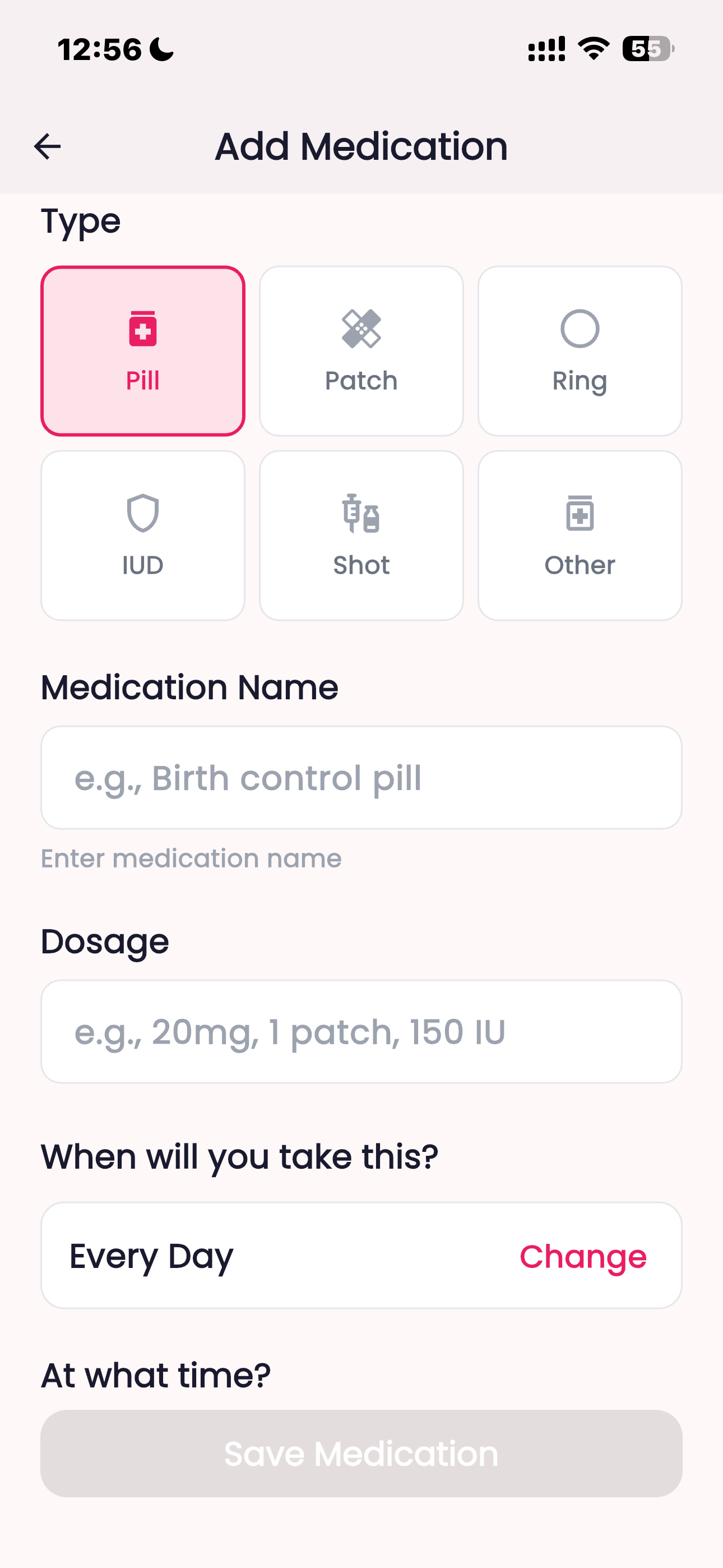
Open the medication editor and pick the type, name, and dosage.
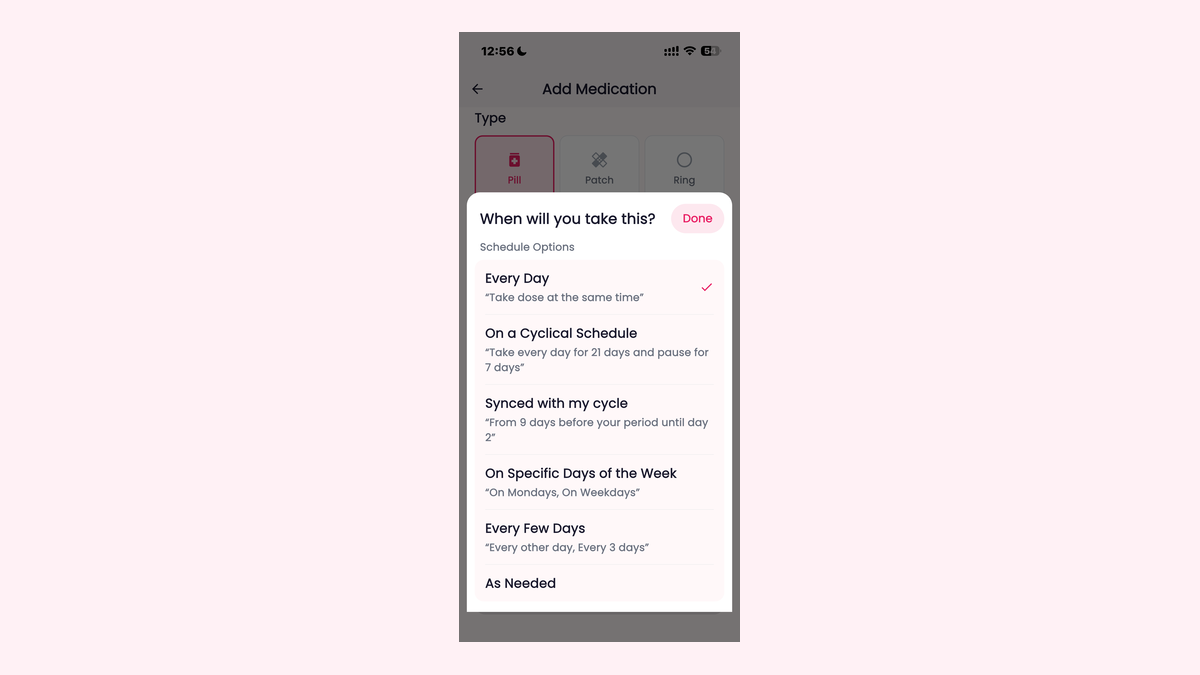
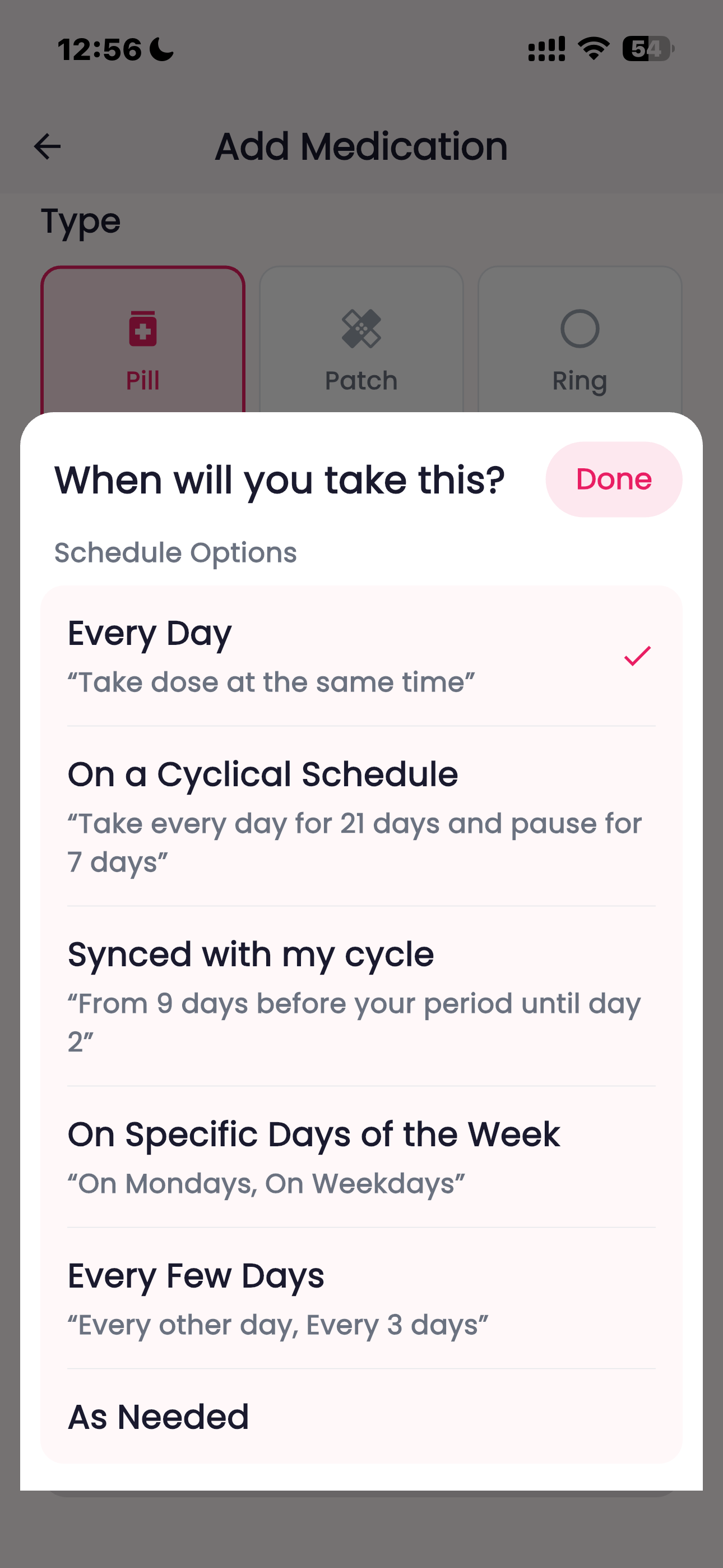
Under "When will you take this?", choose Synced with my cycle. The app describes it in plain language - "From 9 days before your period until day 2."
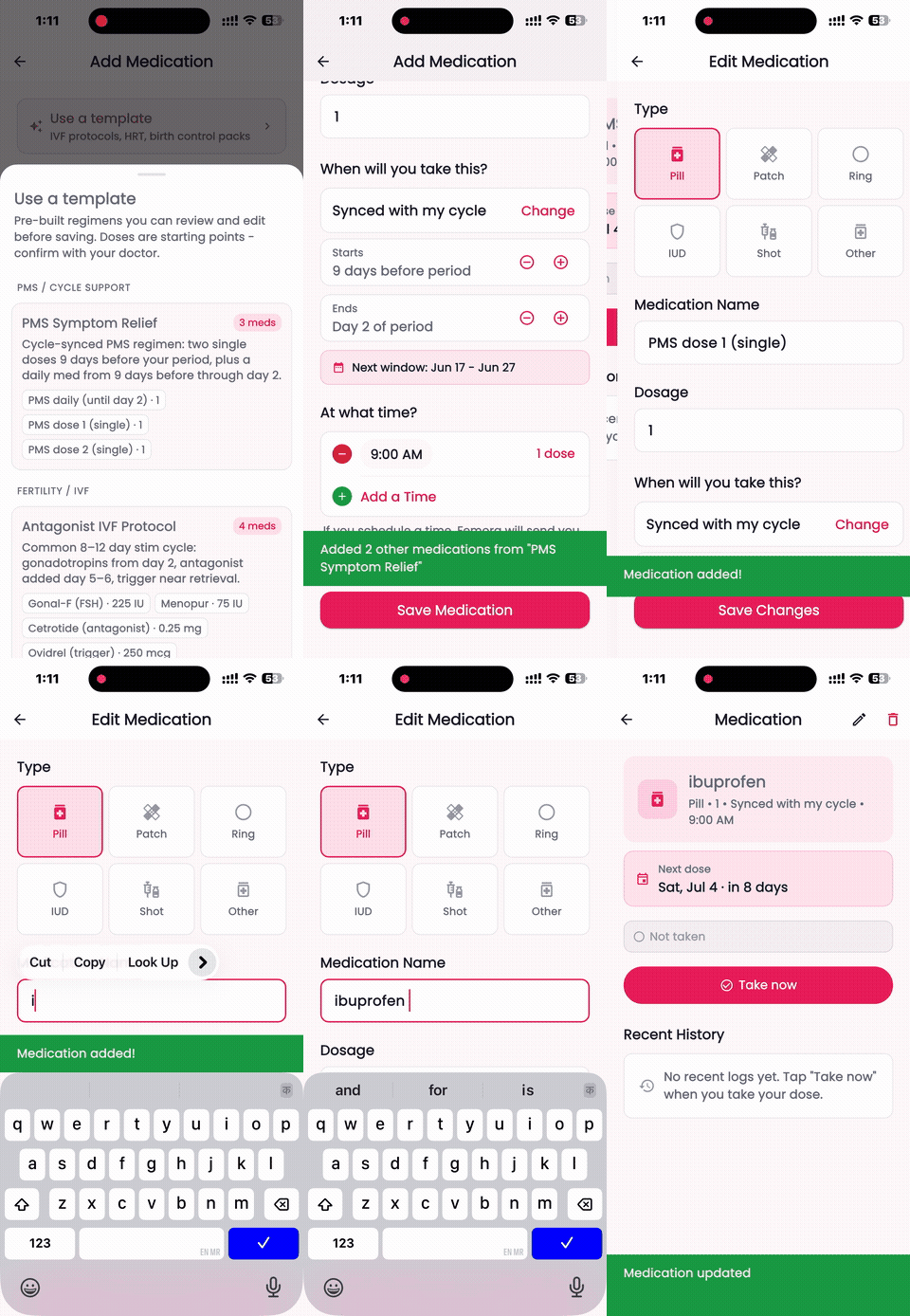
Set your Starts and Ends offsets, turn on the single-dose toggle if you only want one reminder per cycle, pick the time of day, and save. The whole flow takes under a minute:
Or start from a template
If you do not want to set the offsets by hand, tap Use a template at the top of the Add Medication screen. Femora includes starter templates for common cycle-timed regimens - IVF protocols, HRT, birth control packs, and more.
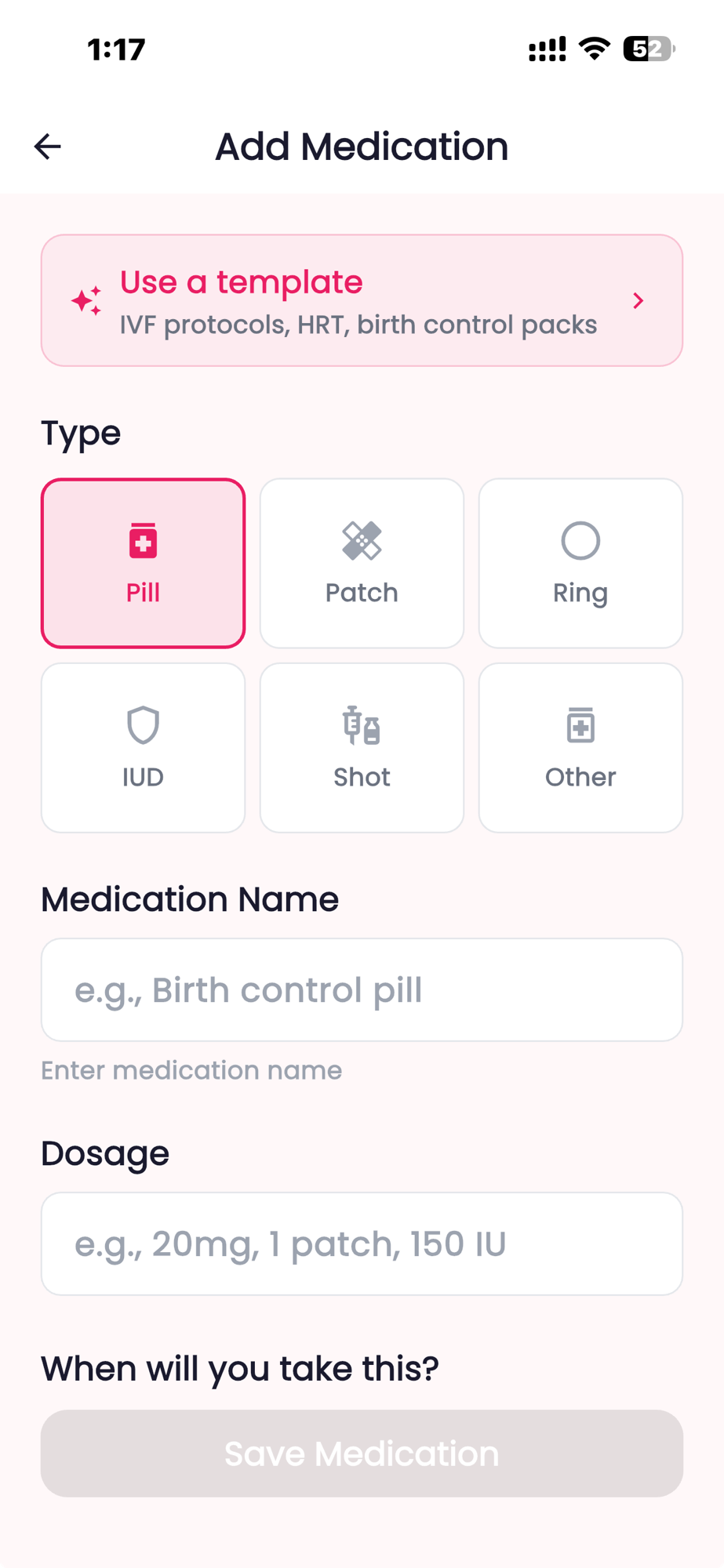
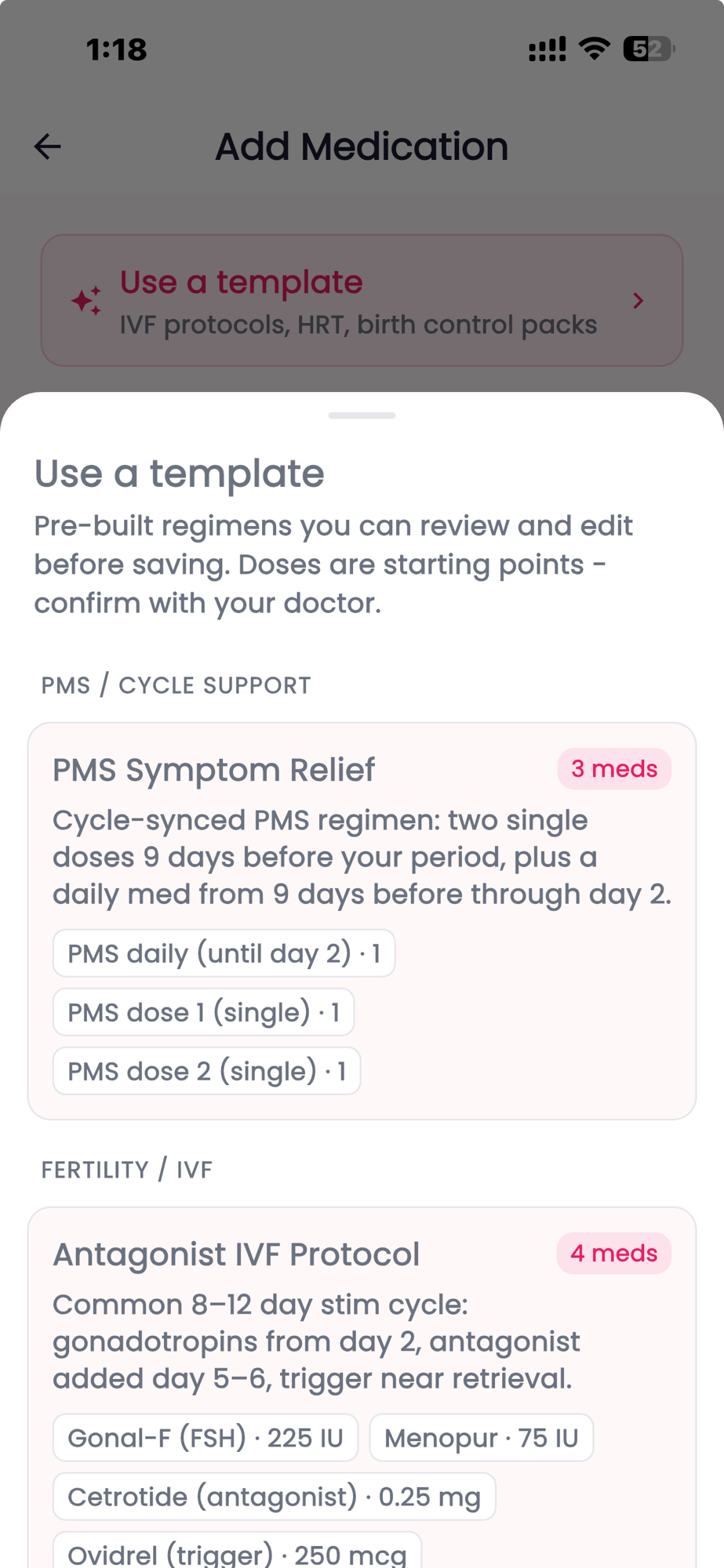
Each template is a pre-built regimen you can review and edit before saving - the doses are starting points to confirm with your doctor. The PMS Symptom Relief template, for example, bundles three medications with cycle-synced timing (two single doses 9 days before your period, plus a daily med from 9 days before through day 2). Fertility templates like the Antagonist IVF Protocol come with the full set of medications and doses ready to adjust.
Pick a template, adjust the name, dosage, and time if you need to, and save:
See your next dose before it happens
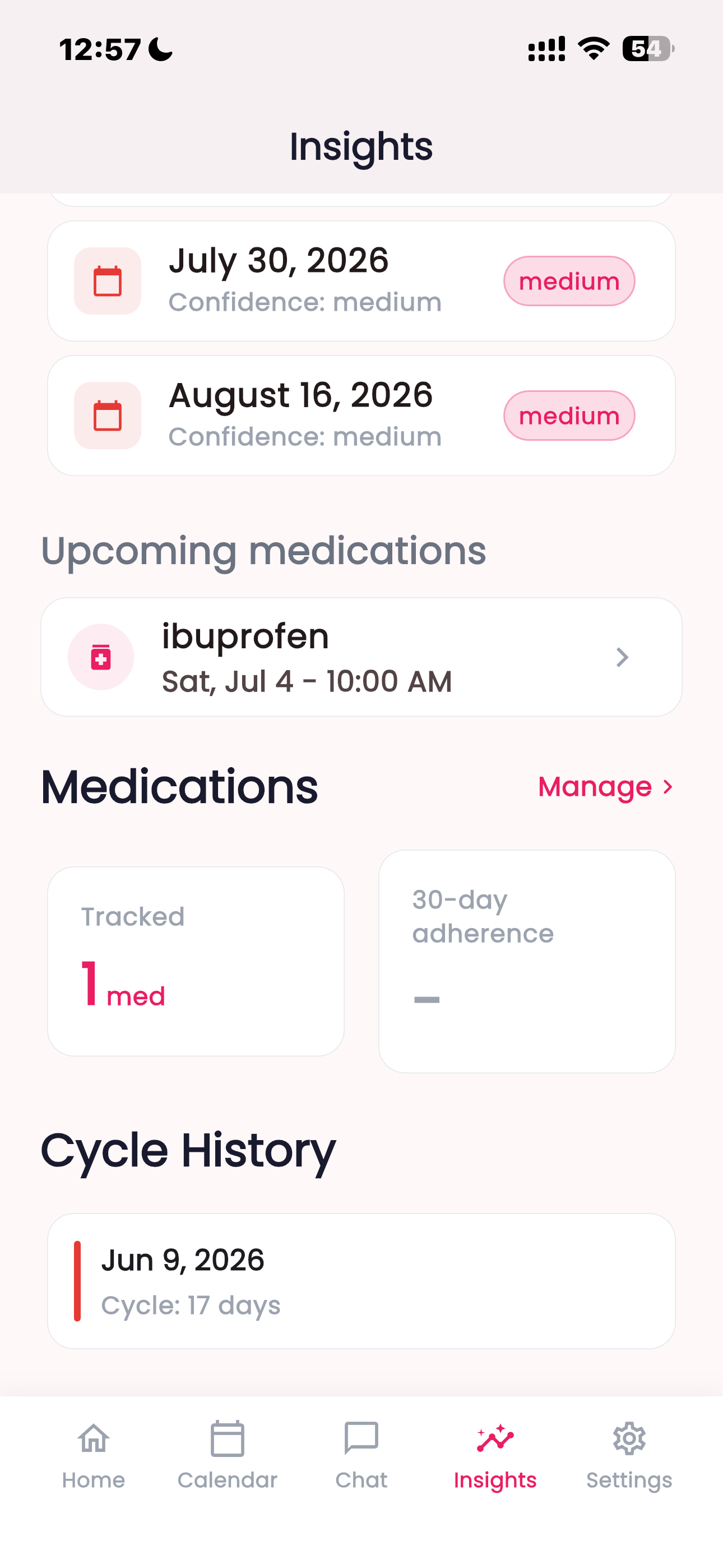
Once saved, the medication detail screen shows a live Next window banner so you always know what is coming. For a single dose it reads "Next dose: Jul 7." For a window it shows the range and how soon it starts.
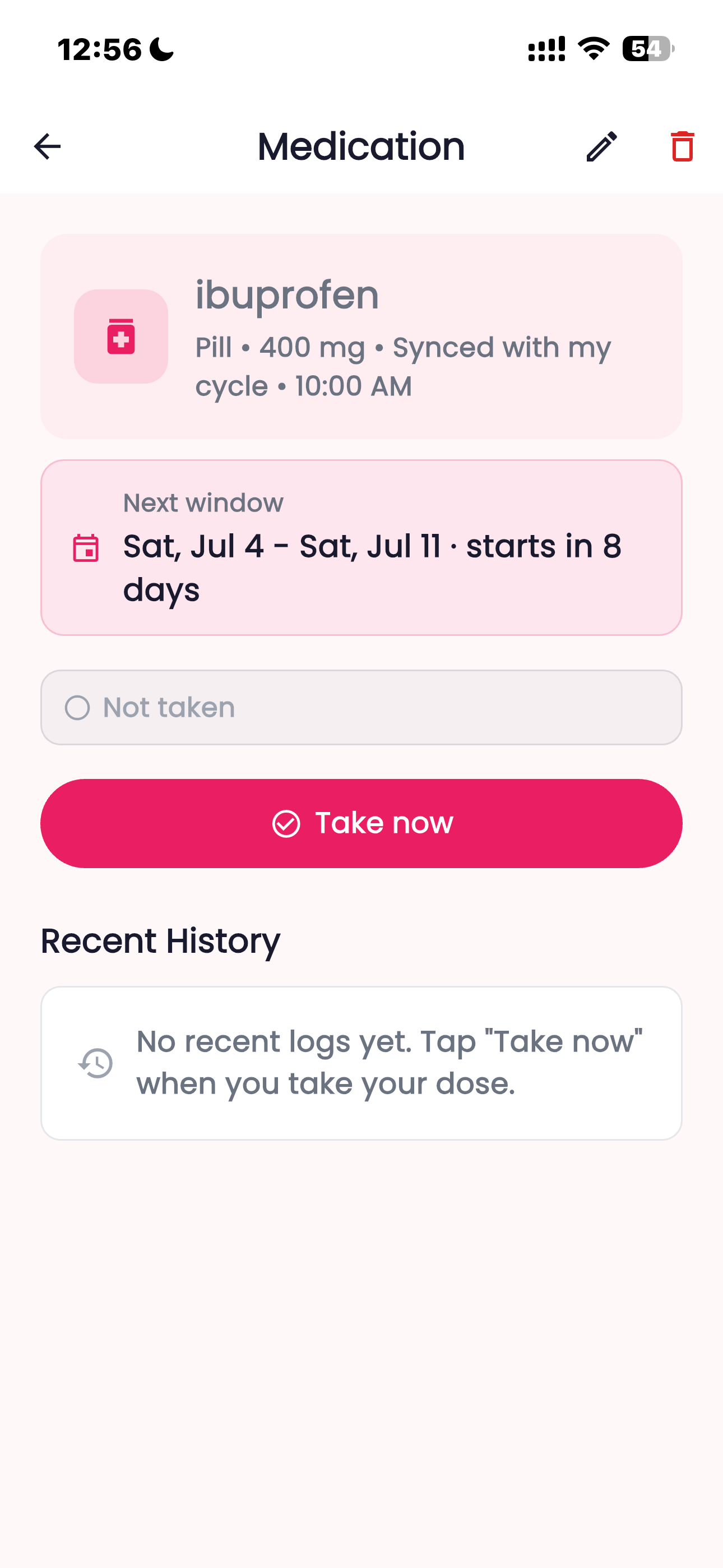
When a dose is due you can mark it taken with one tap, and the app keeps your history, adherence rate, and streak.
What if your cycle is irregular - or you haven't logged a period yet?
Cycle-synced reminders lean on your period prediction, so they get more accurate the more you log. If you have not logged a period yet, the app tells you "Log a period to activate cycle-synced reminders" rather than guessing.
If you have logged periods but no formal prediction exists yet, Femora falls back to your last period start plus your average cycle length (28 days if it does not have enough history). Each new period you log nudges future windows back into alignment, which is exactly what you want if your cycles are not perfectly regular.
You can also pause a medication during a break - a placebo week, a vacation, or a hold ordered by your clinician - without deleting it.
Who this is for
Cycle-synced timing is useful any time a medication is meant to track your cycle rather than the calendar:
- PMS and PMDD - luteal-phase symptom relief that should start before your period (see PMS vs PMDD)
- Menstrual migraine - short courses timed to the pre-period estrogen drop (see menstrual migraine)
- Fertility and IVF/IUI - trigger shots and luteal progesterone support anchored to cycle days
- Cyclical HRT - monthly progestogen courses
For a deeper look at why clinicians time these medications to your cycle, see timing medication to your menstrual cycle.
It's included
Cycle-synced medication reminders are part of Femora - there is no separate purchase. The same subscription that covers cycle tracking, predictions, and chat with a health expert includes medication reminders, refill alerts, side-effect logging, and pause mode.
This is general information about an app feature, not medical advice. Always follow the dosing and timing your prescriber gives you.
Download Femora to set up your first cycle-synced reminder: https://femora.app/download/
Sources
- Premenstrual syndrome (PMS) - NHS.
- Premenstrual Syndrome (PMS) - American College of Obstetricians and Gynecologists (ACOG).